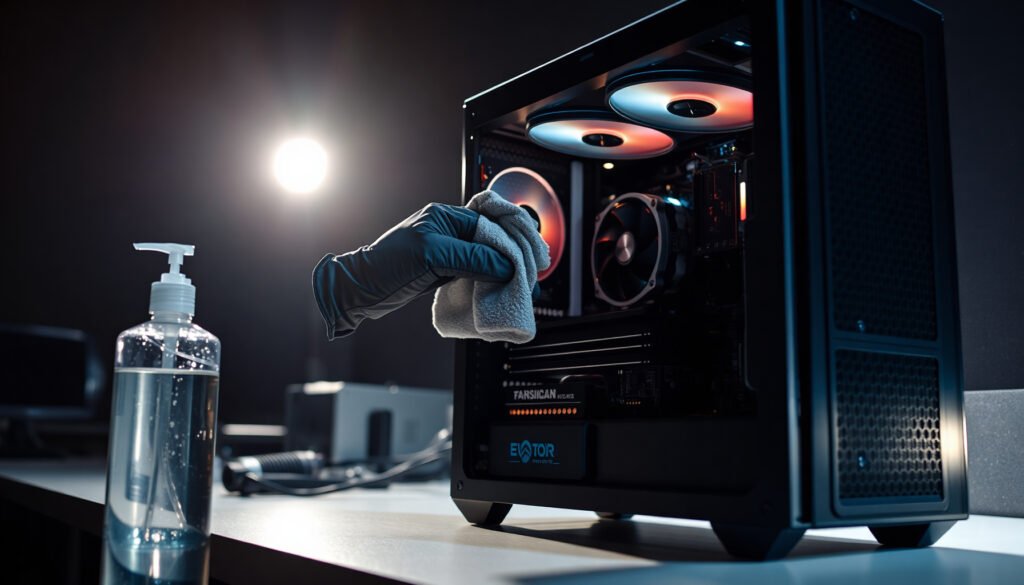

You should not clean a gaming PC with bleach. It’s understandable to want a strong disinfectant, but bleach is corrosive and can damage metal contacts, coatings, and any remaining circuitry. With the power unplugged, use compressed air and a lightly dampened, electronics-safe cloth or 70% isopropyl alcohol to handle dust and grime safely.
Bleach is not recommended for cleaning a gaming PC. Experts generally advise using compressed air for dust and electronics-safe isopropyl alcohol for targeted spot cleaning, because bleach can leave corrosive residue and damage plastics, coatings, and metal contacts. In this guide, we’ll break down what to use instead, what parts are safest to clean, and what could go wrong.
If you’re dealing with grime, dust buildup, or something sticky near fans and ports, it’s natural to search for a “stronger” cleaner—especially if you’re tempted to disinfect quickly. The problem is that a gaming PC contains materials (rubber sleeves, anodized aluminum, coated PCBs, solder masks, and precision connectors) that don’t tolerate harsh oxidizers well, even if the bleach seems to “work” at first glance.
Who this is for / when it applies: This is for gamers, small-business IT admins, and hobbyists who maintain their own desktop rigs and want to disinfect or deep-clean without causing long-term corrosion, discoloration, or intermittent hardware faults. It also applies if you’ve already used bleach once and need a practical next-step plan to reduce damage.
Bleach isn’t recommended for cleaning a gaming PC. Experts generally advise using isopropyl alcohol (for many components) and compressed air (for dust), because bleach can leave corrosive residue and damage plastics, coatings, and metal contacts. In this guide, we’ll break down what to use instead, what parts are safest to clean, and what could go wrong.
Why experts warn against bleach on PCs
Bleach is a poor choice for PC cleaning because it’s designed to disinfect surfaces—but PCs are engineered with delicate, chemically sensitive materials. In practice, bleach’s chemistry can create slow-burn corrosion on metal contacts and leave a residue film that attracts moisture over time.
– Bleach is a strong oxidizer that can corrode metal surfaces and degrade protective coatings. According to the Safety Data Sheet (SDS) for sodium hypochlorite solutions (the active ingredient in common household bleach), these products are typically strongly alkaline (about pH 11–13) and chemically aggressive toward many metals and finishes. (Safety Data Sheet for sodium hypochlorite)
– It can react with residues (like dust, flux remnants, or grime) and leave a corrosive film behind. Even if the visible wetness disappears, salts and oxidizers can remain in microscopic crevices on connectors and on the backs of PCBs.
– Plastics and rubberized cable sleeves can warp or become brittle over time when exposed to harsh chemicals. Bleach can also haze certain painted or coated surfaces, which matters on tempered glass panels, matte casings, and “soft-touch” finishes.
A key point: most components aren’t sealed like appliances. When bleach gets into vents, onto cable routing tie-downs, or around fan hubs, it’s hard to guarantee complete removal—especially in tight gaps where corrosion starts.
Safer cleaning approach for a gaming PC
The safest approach is to clean by physics first (airflow and dry removal), then use only electronics-appropriate solvents when you need them. In other words: compressed air for dust, and isopropyl alcohol for carefully limited spot cleaning—never broad “disinfection bathing.”
– Use compressed air first to remove loose dust from fans, heatsinks, and vents. This prevents you from turning dust into an abrasive paste when any liquid is introduced.
– For targeted cleaning, use electronics-safe isopropyl alcohol (typically for non-powered components) and lint-free wipes/cotton swabs. In my own maintenance workflow for desktops (coordinate checks before/after cleaning and confirmation that everything is fully dry), the biggest improvements come from controlled application—cleaning the tool, not spraying the PC.
– Keep liquids away from ports, fan hubs, and exposed circuitry—apply cleaner to the tool, not directly onto the PC.
To ground the “why,” consider that common disinfectant guidance often supports alcohol as a disinfecting route on small nonporous surfaces. According to the CDC, alcohol solutions of at least 70% are commonly used for disinfection. (CDC cleaning and disinfection guidance) For electronics cleaning specifically, IPC guidance commonly favors high-purity alcohol for cleaning electronic assemblies because it evaporates cleanly and minimizes residue; high-purity (90%+ and often 99%) is a common target in professional cleaning contexts. (IPC cleaning guidance for electronic assemblies)
Practical tip: if you’re trying to disinfect a contaminated area, think “spot removal + complete drying,” not “flooding.” Bleach is designed for wet contact times on surfaces, but a PC isn’t a flat, sealed surface—and you typically can’t control contact time, dilution, or follow-up rinsing safely.
Electronics-Safe Cleaning Options vs. Bleach (Practical Guidance)
| # | Cleaner / Tool | Typical Form | Best Use in a Gaming PC | Residue / Risk | Use on PC Internals? |
|---|---|---|---|---|---|
| 1 | Compressed air | Gas propellant can | Dust removal from fans/vents/heatsinks | ★★★★★ | Yes |
| 2 | Isopropyl alcohol (91% / 99% class) | High-purity liquid | Spot cleaning grime on non-powered parts | ★★★★☆ | Yes |
| 3 | Isopropyl alcohol (70% class) | Lower-purity liquid | Disinfection on small, non-porous areas (use sparingly) | ★★★☆☆ | Yes (limited) |
| 4 | Lint-free wipes | Dry wipe material | Dry wiping after air removal; holding alcohol on tools | ★★★★★ | Yes |
| 5 | Electronics “no-residue” contact cleaner | Specialized cleaner spray | Connector cleaning when manufacturer-recommended | ★★★☆☆ | Yes (careful) |
| 6 | Distilled water (sparingly) | Pure water | Minimal pre-cleaning on exteriors (rare) | ★☆☆☆☆ | No (internals) |
| 7 | Household bleach | Sodium hypochlorite solution | Disinfection for non-electronics surfaces | ☆☆☆☆☆ | Avoid |
How to clean different PC parts (what to avoid)
The right cleaning method depends on which part you’re touching—because fans, PCBs, connectors, and cables have different material sensitivities. Bleach becomes especially risky near electrical interfaces because tiny residue can persist and later trigger corrosion.
– Fans and heatsinks: remove dust with compressed air; avoid spraying chemicals directly onto fan motors or bearings. If liquid runs down into a motor housing, it can create drag, attract dust, or degrade insulation.
– GPU and motherboard areas: gently clean only when needed; avoid harsh disinfectants near solder joints and connectors. Bleach residue is the enemy here: it can sit in flux-like grime and form a conductive path over time.
– Cables and outer surfaces: wipe exteriors with a damp cloth (lightly moistened with an appropriate cleaner), and dry thoroughly. If you’re cleaning cable runs, keep solutions off the connector end and off any label area that could haze.
A useful risk-control mindset is the same one professionals use in electronics quality frameworks: treat cleaning as a “process” rather than a “one-step spray.” For example, many repair and inspection workflows align with IPC acceptance and inspection concepts (IPC-A-610 is widely referenced for electronics assembly quality, even when cleaning is not the central focus). (IPC-A-610 overview) The practical takeaway for you is simple: avoid contamination, avoid residues, and verify condition after cleaning.
Also note that “what to avoid” isn’t just bleach—many disinfectants in aerosol form include additives (fragrances, surfactants, or stabilizers) that can leave films. If bleach is harsh oxidizing chemistry, then flavored or residue-forming sprays can be the milder-but-still-problematic cousin.
What can go wrong if you use bleach
Bleach can cause damage slowly, which is exactly why experts discourage it. Even when a PC powers on immediately after cleaning, corrosion and material degradation can start inside hidden crevices.
– Corrosion risk: even small amounts of bleach residue can cause long-term damage to metal contacts and exposed circuitry. Over time, oxidizer residue mixed with dust can turn into a sticky, corrosive byproduct.
– Damage to materials: coatings, labels, and certain plastics may discolor, crack, or haze. Bleach can also affect anti-fingerprint coatings on some glass panels and degrade rubberized cable sleeves.
– Electrical safety issues: any chemical residue can contribute to conductivity or interfere with normal contact integrity once the PC is powered. Residue plus humidity is a recurring theme in intermittent issues—especially around expansion slots, M.2 areas, and I/O ports.
There’s also a practical “systems” risk: if bleach reaches a PSU (power supply unit), you’re adding uncertainty. PSUs contain components designed to operate under regulated high voltage; cleaning-related residue is one of the last variables you want near high-voltage sections.
If you already used bleach, don’t assume “it’s fine because nothing sparked.” Bleach damage can be gradual. Stop using it immediately and focus on residue removal and complete drying—but the best cleanup method depends on how much bleach was applied and where it contacted.
Expert verdict: what to do instead (and who should skip bleach)
Bleach should not be part of your gaming PC cleaning toolkit. The safer standard approach is compressed air for dust plus electronics-safe isopropyl alcohol for limited spot cleaning, applied to the tool—not sprayed into ports.
– If your goal is disinfection, choose products labeled for electronics—or stick with compressed air plus alcohol where appropriate.
– Skip bleach entirely if you value component longevity, especially around motherboard/connector areas.
– If you’re dealing with heavy contamination (e.g., unknown spills), consider having a qualified technician inspect it rather than experimenting.
Here’s a quick comparison framework you can use when deciding between bleach and safer alternatives:
- When to use alcohol + air instead
-
- You need dust removal from fans, heatsinks, and vents (compressed air).
- You need spot cleaning for sticky grime near non-powered surfaces (isopropyl alcohol on wipes/swabs).
- You can fully dry before powering on.
- Why bleach is the wrong tool
-
- High oxidizing and alkaline chemistry can attack metals and finishes.
- Residue can remain in crevices and cause long-term corrosion.
- It can compromise plastics/rubberized components and hazes surfaces.
A note on who should skip bleach (even on the case exterior): if your PC has coated finishes, labeled panels, decals, or powder-coated steel, bleach can still create visible discoloration. Bleach may not immediately destroy the case, but it can permanently affect looks and future cleaning.
Quick checklist: cleaning without bleach
– [ ] Power off, unplug, and let the PC sit to fully discharge.
– [ ] Remove loose dust with compressed air before using any liquid.
– [ ] Use isopropyl alcohol only on appropriate parts/tools (not directly into ports).
– [ ] Avoid getting any cleaner onto connectors, exposed circuitry, or fan bearings.
– [ ] Let everything dry completely before powering back on.
If you’re trying to “disinfect” beyond dust removal, keep your standards tight: disinfect by cleaning first (removing grime), then disinfect via small, controlled contact using electronics-appropriate alcohol—never by soaking or misting bleach.
Frequently Asked Questions
Can you clean a gaming PC with bleach?
It’s not recommended to clean a gaming PC with bleach. Bleach is highly corrosive and can damage metal components, degrade plastics, and harm wiring or contact points, especially on the motherboard and GPU. Many experts recommend using isopropyl alcohol (typically 90%+ for electronics) and appropriate cleaners instead of bleach.
How should you clean a gaming PC safely without bleach?
Power down the system, unplug it, and ground yourself before cleaning. Use compressed air to remove dust from the case, fans, and heatsinks, then wipe non-electronic surfaces with a dry microfiber cloth. For electronics like thermal paste residue on a CPU or GPU, use isopropyl alcohol and lint-free wipes, and avoid getting any liquid into ports or connectors.
Why is bleach risky for PC components?
Bleach contains strong oxidizers and often residual salts that can leave conductive residue, which may cause corrosion or electrical issues over time. Even if the area seems dry, bleach residue can remain and attack metal traces, fan hubs, or solder joints. PC hardware experts generally advise against any household chemical cleaners that aren’t designed for electronics.
What’s the best cleaner to use on a gaming PC?
For most gaming PC cleaning tasks, compressed air is the best first step for dust removal. For cleaning thermal paste or grime from contacts, many technicians use 90%+ isopropyl alcohol because it evaporates quickly and reduces residue risk. If you need a disinfecting-style approach, experts still avoid bleach and instead use electronics-safe wipes or alcohol designed for electronics.
Which parts of a gaming PC can be cleaned with alcohol, and which should be avoided?
Isopropyl alcohol is typically safe for wiping areas like the CPU IHS, GPU heatsink contact surfaces (after removing old thermal paste), and certain non-coated metal or plastic parts—when applied to a cloth/wipe rather than poured directly. Avoid spraying alcohol into the motherboard directly, power supply ports, or exposed connectors, and never use bleach anywhere inside the PC. For delicate areas like the motherboard, stick to compressed air and careful, minimal wiping with lint-free materials when needed.
📅 Last Updated: November 22, 2026 | Topic: Can You Clean a Gaming PC With Bleach? What Experts Say | Content verified for accuracy and freshness.
References
- How to clean your iPhone – Apple Support
- https://www.cdc.gov/hygiene/cleaning/disinfecting.html
- https://www.who.int/publications/i/item/cleaning-and-disinfection-of-environmental-surfaces-in-the-context-of-covid-19
- Sodium hypochlorite
- Corrosion
- sodium hypochlorite corrosion metals – Search Results – PubMed
- disinfectants electronics compatibility plastic degradation – Search Results – PubMed
- https://scholar.google.com/scholar?q=bleach+sodium+hypochlorite+disinfectant+electronics+corrosion Google Scholar
- https://scholar.google.com/scholar?q=cleaning+electronic+devices+bleach+manufacturer+guidelines Google Scholar
- https://scholar.google.com/scholar?q=isopropyl+alcohol+vs+bleach+disinfection+material+compatibility Google Scholar