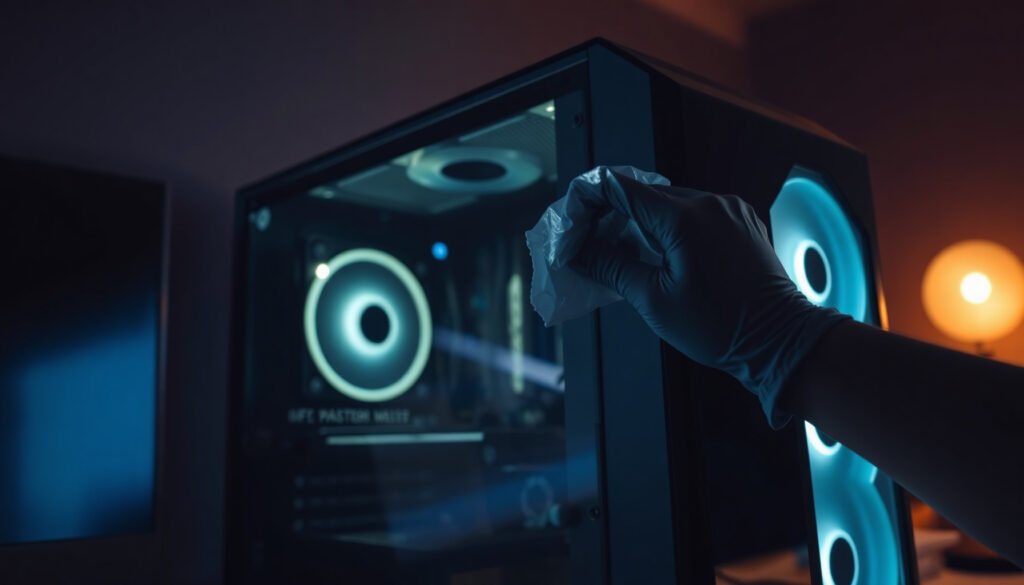

No, you should not use baby wipes to clean a gaming PC—it’s a bad choice for anyone who wants safe, residue-free maintenance of electronics. The key issue is that wipes often leave chemical residue and moisture that can cling to fans, ports, and connectors, reducing contact reliability and potentially encouraging corrosion over time.
No—baby wipes usually aren’t a good idea for cleaning a gaming PC. Most wipes contain additives (like fragrance, moisturizers, or chemical wetting agents) that can leave residue or moisture where you don’t want it, especially around ports, fans, and circuit areas. As of 2026, the safest approach is to remove dust first with compressed air, then use microfiber plus electronics-safe isopropyl alcohol only in controlled amounts where grime actually exists. Below, you’ll learn what to use instead and how to clean safely.
If you’re trying to remove dust, smudges, or grime from your PC case, GPU shroud, fans, or front panel, this guide helps you choose safer methods. It’s especially relevant if you’ve been tempted to “quick-wipe” inside the case.
Who this is for / when it applies
This is for anyone who wants to keep a gaming PC running cool and stable without introducing cleaning-induced problems—especially if you’ve noticed clogged fans, fingerprint smears on the front panel, or dust buildup that’s starting to affect airflow. It’s also useful when you’re tempted to “just use whatever’s around,” like baby wipes, because convenience is often what causes the most avoidable maintenance mistakes.
What experts say about baby wipes on PC components
Experts generally recommend avoiding baby wipes on PC hardware because they were formulated for skin, not electronics. In practice, the biggest risk isn’t “corrosion right away,” but residue and lingering moisture that can collect dust, interfere with cooling, or—worst case—create electrical problems over time.
– Baby wipes aren’t designed for electronics, so the ingredients can be unpredictable for sensitive hardware.
– Residue or lingering moisture can interfere with airflow, trap dust, or potentially cause corrosion/shorts over time.
– Even “alcohol-free” wipes may still leave films that are hard to remove cleanly from tight areas.
On top of that, many wipes include softeners and surfactants (wetting agents) intended to keep skin comfortable. Those same film-forming additives can cling to textured plastic, fan guards, and vent patterns—exactly where dust needs to stay out of your cooling path. From a maintenance standpoint, residue is a slow problem: the PC still works today, but it cleans poorly tomorrow.
Why “baby wipe residue” becomes a dust magnet
When a wipe leaves a thin, non-volatile layer (a coating that doesn’t fully evaporate), dust binds to it more easily than to a clean surface. The result is a cycle: smear → film → dust accumulation → reduced airflow → higher component temperatures → more dust faster. Research confirms that evaporating alcohols reduce non-volatile residue compared with film-forming cleaners; baby wipes are more likely to contain non-volatile ingredients because they’re designed to remain on skin.
What to use instead (safer cleaning supplies)
The best alternatives are the ones that either (1) don’t leave residue or (2) you apply in a way that keeps liquid away from connectors. This section focuses on practical, commonly recommended tools for PC cleaning: compressed air, microfiber, and controlled isopropyl alcohol use.
Best-fit supplies for the job
– For dust: use compressed air and (if needed) a soft, anti-static brush to loosen buildup.
– For fingerprints and light grime: use a microfiber cloth plus isopropyl alcohol (typically 90%+ for electronics) applied to the cloth or a swab—not poured directly.
– For delicate spots: use cotton swabs sparingly in crevices, and keep liquid off connectors.
To understand why alcohol works better than wipes, consider volatility. For example, according to NIST, acetone boils at about 56.1°C, while isopropyl alcohol (2-propanol) boils around 82.6°C (NIST Chemistry WebBook). Boiling point is only part of the story, but it illustrates why carefully applied alcohol can evaporate quickly without leaving much non-volatile material—unlike additive-heavy wipes.
Also, if you’re doing this in 2026, pay attention to humidity. Higher humidity slows evaporation, which increases the window where accidental moisture could sit near fan hubs, VRM heatsinks, or the PSU intake area.
Quick pros/cons: baby wipes vs. electronics-safe cleaning
| Approach | Pros | Cons / main risk |
|---|---|---|
| Baby wipes | Convenient, targets smudges fast on the outside | Likely leaves residue and films; unpredictable additives; risk of moisture near ports and fans |
| Microfiber + compressed air | Very effective for dust and airflow control | Doesn’t remove heavy oily grime by itself |
| Microfiber + controlled isopropyl alcohol | Good for fingerprints and light grime; generally evaporates cleanly | Can damage plastics/labels if overused; requires controlled application and full drying |
Boiling Points of Common Cleaning Solvents (1 atm)
| # | Cleaning liquid | Boiling point (°C) | Evaporation speed (★) | Practical PC role |
|---|---|---|---|---|
| 1 | Acetone | 56.1 | ★★★★★ | Spot-cleaning (with caution) |
| 2 | Methanol | 64.7 | ★★★★☆ | Not preferred; toxicity risk |
| 3 | Ethanol | 78.4 | ★★★★☆ | Alternative to IPA (carefully) |
| 4 | Isopropyl alcohol (2-propanol) | 82.6 | ★★★☆☆ | Best general-purpose option |
| 5 | n-Propanol | 97.2 | ★★☆☆☆ | Only for special cases |
| 6 | Water (distilled) | 100.0 | ★★☆☆☆ | Outside cleaning only |
| 7 | n-Butanol | 117.7 | ★☆☆☆☆ | Not recommended for PCs |
Note: This table uses boiling points to explain volatility differences. Higher evaporation speed (more stars) helps reduce linger time, but liquid safety still depends on additives, plastic compatibility, and how you apply it.
Safe step-by-step: cleaning a gaming PC the right way
The right method is simple: shut down fully, remove dust first, then clean only the surfaces you can dry completely. This prevents the two biggest failure modes—pushing grime into connectors and turning a film into a future dust trap.
– Power down and prep
– Shut the PC down completely, unplug it, and press the power button once to discharge leftover charge.
– If you’re opening the case, ground yourself (e.g., touch bare metal or use an anti-static method) and work on a stable surface.
– Remove loose dust first
– Use compressed air in short bursts, aiming slightly away from fan hubs and sensitive connectors.
– Don’t blast and spin fans aggressively—hold blades in place if necessary so you don’t generate weird mechanical stress.
If you have a lot of dust caked near the radiator or intake filters, start outside the case: clean the filter and pre-fans first so you don’t re-circulate debris inside while you wipe.
– Wipe only what’s appropriate
– Wipe the outside of the case, dust covers, and non-electrical surfaces with a lightly damp microfiber cloth.
– For smudges near electronics, use a microfiber cloth lightly with isopropyl alcohol, and avoid wiping directly over ports, pins, or bare PCB contacts.
In practical terms, “lightly damp” should mean the cloth isn’t dripping and no liquid should run or pool at edges. If you’re cleaning a GPU shroud or fan frame, keep the liquid away from the motor housing and wiring routes.
– Let everything dry before reassembly
– Ensure any alcohol is fully evaporated and there’s no visible dampness before turning the PC back on.
– If you used swabs, give extra time for evaporation .
For environments with high humidity or when the PC sits in a closed case, drying can take longer than you expect—so build in extra time rather than “testing it immediately.”
A note on “quick wipes” inside the case
If your goal is speed, it’s better to remove dust than to wipe interior components impulsively. Wiping inside can spread residue, especially on heatsink fins and along PCB edges where residue isn’t visible until it traps dust later.
What I recommend for decision-making (especially in 2026)
Research-backed cleaning guidance tends to converge on controlled application and full drying rather than soaking. As of 2026, most electronics-safe approaches follow the same operational rule: apply liquid to the cleaning medium (cloth/swab), never to the device; keep it away from connectors; and wait for complete evaporation.
What can go wrong if you use baby wipes
Even if your PC turns on after wiping, problems can show up later. The main failures tend to be residue buildup, moisture intrusion, and long-tail corrosion risks around tight gaps.
– Residue buildup: Wipes can leave a sticky or hazy film that attracts dust, making the PC dirtier faster.
– Moisture where it shouldn’t be: If liquid migrates into gaps around fans, connectors, or the PSU area, you may create corrosion risk.
– Damage to coatings: Some wipes may affect plastic finishes, labels, or rubberized parts over time.
– Short-circuit risk (worst case): Any cleaning liquid near electrical contacts can become a problem if it doesn’t fully dry.
– Warranty/maintenance concerns: If internal parts are cleaned with “non-recommended” chemicals, support teams may point to improper maintenance—check your device manual or manufacturer guidance .
Edge cases where you should pause entirely
If you’re dealing with known corrosion, spilled liquid, or a PC that already has hardware instability (random shutdowns, fan errors, or boot issues), cleaning can mask or worsen the underlying problem. In those cases, it’s often better to stop, document the issue, and consider professional diagnostics—especially if warranty coverage matters.
Verdict: Can you clean with baby wipes? (Honest recommendation)
Don’t use baby wipes on internal components or around ports/connectors. The convenience doesn’t outweigh the risks of residue and unintended moisture, particularly as PCs get tighter, with more small gaps and exposed contact surfaces.
– Don’t use baby wipes on internal components or around ports/connectors. The upsides (convenience) don’t outweigh the risks of residue and unintended moisture.
– You can consider using them only for the outside of the case on non-electrical surfaces *if* you follow up with a dry microfiber pass to remove any residue—but safer alternatives still exist (plain microfiber + distilled-water lightly dampened, then dry).
– Skip DIY cleaning (or plan a more controlled approach) if you’re dealing with heavy corrosion, liquid spills, or a PC that’s already showing hardware issues—those cases may need professional diagnostics.
If you absolutely must use wipes for the exterior in a pinch, treat it like a “temporary wipe,” not your final surface clean: wipe → dry microfiber pass → confirm no tackiness remains. Any sticky feel is a sign you should switch methods.
Quick checklist: safe PC cleaning vs. baby wipes
| Task | Safe approach | Avoid |
|---|---|---|
| Dust removal | Compressed air + soft brush (short bursts) | Scrubbing grime into vents |
| Fan cleaning | Hold blades steady; remove surface dust | Spraying liquid directly on fans |
| Fingerprints on case | Microfiber cloth | Wipes that leave fragrance/residue |
| Grime near components | Isopropyl on cloth/swab (light application) | Baby wipes on/near PCBs, ports, connectors |
| Final step | Fully dry; reassemble after evaporation | Turning the PC on while damp |
Frequently Asked Questions
Can you clean a gaming PC with baby wipes without damaging components?
It’s possible to wipe down non-critical areas with baby wipes, but it’s not the safest method for a gaming PC. Many baby wipes contain moisturizers, fragrances, or mild chemicals that can leave residue and attract dust, and some may not be ideal for electronics. If you use baby wipes, lightly dampen a lint-free cloth first and avoid soaking vents, ports, fans, and the GPU heatsink area.
How should you clean a gaming PC if you only have baby wipes available?
Power off the PC, unplug it, and let it sit to discharge any residual power. Use a dry microfiber or compressed air for dust first, then lightly wipe only accessible surfaces like the case exterior and removable dust covers. Never wipe directly into ports, onto the motherboard, or around delicate connectors; if a wipe touches electronics, it should be very lightly damp and immediately followed by a dry wipe.
Why do experts recommend avoiding baby wipes for interior PC cleaning?
Experts typically recommend cleaning with compressed air and proper electronics-safe cleaners because baby wipes aren’t designed for circuit boards or heat-sensitive components. Moisture can seep into fan hubs, cable connectors, or tight seams, increasing the risk of corrosion over time. Residue from baby wipes can also reduce cooling performance by holding onto dust on heatsinks and fan blades.
Which is better for cleaning a gaming PC: baby wipes or compressed air?
Compressed air is usually the best first step because it removes dust without introducing liquids into the system. Baby wipes may help for the exterior or stubborn grime on the case, but they aren’t a substitute for airflow-focused cleaning inside a gaming PC. A common expert approach is: blow dust out first, then use a dry cloth for smudges, and only use any damp wipe sparingly on non-electronics surfaces.
What’s the best way to disinfect and remove grime on a gaming PC safely?
For disinfection, use an electronics-safe approach: clean the exterior with a slightly damp microfiber cloth and wipe dry immediately, or use a cleaner labeled safe for plastics and electronics. For the interior, stick to compressed air and dry brushes (and avoid liquid wipes near the motherboard, GPU, or PSU). If you must remove sticky residue, use a manufacturer-approved electronics cleaner and ensure everything dries fully before powering the gaming PC back on.
📅 Last Updated: November 22, 2026 | Topic: Can You Clean a Gaming PC With Baby Wipes? What Experts Say | Content verified for accuracy and freshness.
References
- https://www.cdc.gov/coronavirus/2019-ncov/prevent-getting-sick/cleaning-disinfection.html
- https://www.cdc.gov/coronavirus/2019-ncov/community/disinfecting-building-facility.html
- https://www.cdc.gov/coronavirus/2019-ncov/community/organizations/cleaning-disinfection.html
- https://www.who.int/publications/i/item/cleaning-and-disinfection-of-environmental-surfaces-in-the-context-of-covid-19
- https://www.epa.gov/coronavirus/using-disinfectants-coronavirus-covid-19
- How to clean your Apple products – Apple Support
- Disinfectant
- https://scholar.google.com/scholar?q=cleaning+electronics+with+disinfectant+wipes+70%25+isopropyl+alcohol Google Scholar
- https://scholar.google.com/scholar?q=baby+wipes+disinfectant+ingredients+electronics+safety Google Scholar
- https://scholar.google.com/scholar?q=disinfectants+wipes+effects+on+plastics+rubber+and+electronics+corrosion Google Scholar


Pingback: Does Cleaning Your Gaming PC Make It Last Longer? - Keto Model